AI Phone Answering Service for Small Business: 7 Options Compared (2026)
By Ethan Halfhide · Updated September 30, 2026
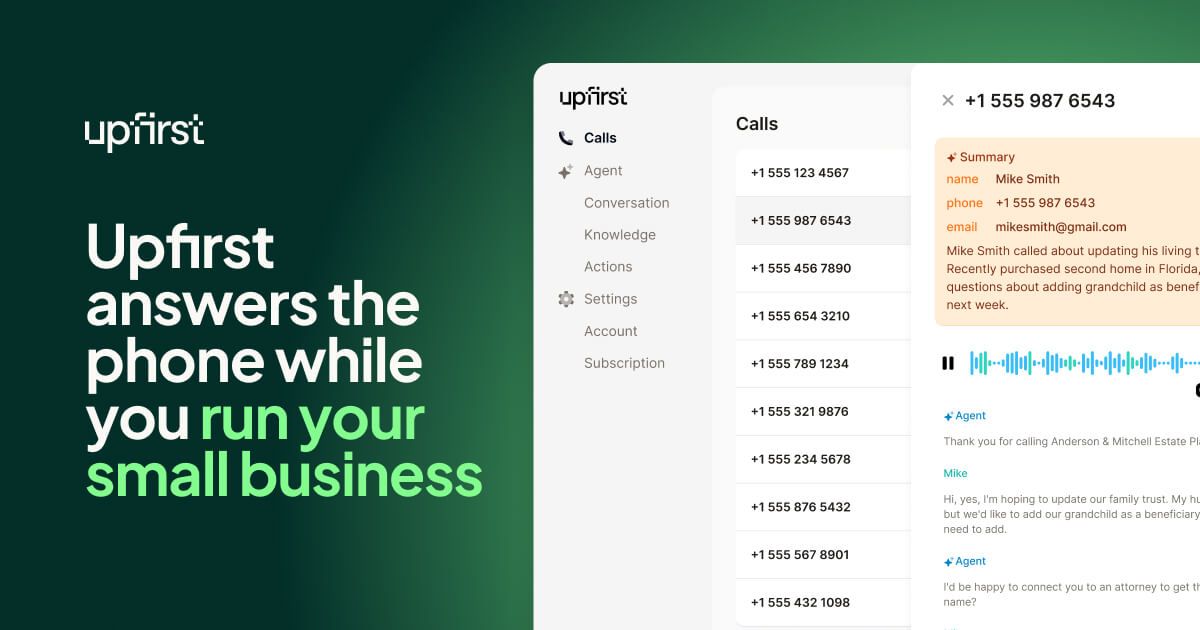 Top pick: Upfirst
Product images: Top pick: Upfirst
An AI phone answering service is software that picks up your business calls, talks with callers in a natural voice, answers common questions, takes messages, books appointments and sends you a summary. Paid entry plans from the services compared here cost between $19 and $150 a month on monthly billing as of September 2026, and Smith.ai also has a free plan. Upfirst is our top pick for most small businesses because its $24.95 plan already includes calendar booking, warm transfers and spam-free billing.
Below: what an AI receptionist for small business does, seven services with public pricing, setup, limits and call recording rules. Prices come from each official pricing page, checked September 30, 2026.
AI phone answering services compared (as of September 2026)
| Service | Entry price | What the entry plan includes | Extra use | Free option |
|---|---|---|---|---|
| Upfirst | $24.95/month ($20/month billed annually) | 30 calls | $1.50 per extra call on Starter | 14-day free trial, no credit card |
| Rosie | $49/month | 250 minutes | Not shown on the pricing page | 7-day free trial |
| Dialzara | $29/month | 60 minutes of talk time | $0.48 per minute on Lite | 7-day free trial |
| Goodcall | $79/month per agent ($66 billed annually) | Unlimited minutes, 100 unique callers | $0.50 per extra unique caller | 14-day free trial |
| My AI Front Desk | $99/month ($79 billed annually) | 200 voice minutes plus chat, SMS and a CRM | 25 credits ($0.25) per voice minute | 7-day free trial |
| Smith.ai AI Receptionist | $0 (Free plan), then $150/month (Pro) | 25 calls free; 75 calls on Pro | $3.00 per extra call on Free, $2.50 on Pro | Free plan |
| Quo (formerly OpenPhone) with Sona | $19 per user/month ($15 billed annually) for the phone system | 10 AI-answered calls a month on every plan | Credit packs from $25/month for 40 calls | 7-day free trial |
Services bill in different units: per call (Upfirst, Smith.ai, Quo), per minute (Rosie, Dialzara, My AI Front Desk) or per unique caller (Goodcall). Entry plans also differ in what they leave out, such as calendar booking or live transfers.
What an AI receptionist does for a small business
Across the services above, the core jobs are the same:
- Answers calls 24/7. Upfirst, Rosie, Dialzara, Smith.ai, My AI Front Desk and Quo's Sona all advertise round-the-clock answering, and Rosie says it handles multiple calls at the same time, so callers do not get a busy signal.
- Answers common questions. You give it your hours, services, service area, prices and FAQs. Several services build a first draft from your website: Upfirst and Rosie both say they scan your site to start training, and Rosie also reads your Google business profile.
- Takes messages and captures leads. It asks the questions you choose (name, number, job type, address) and sends you a summary by text or email when the call ends.
- Books appointments. Upfirst books into Google Calendar, Outlook, Calendly, Acuity, Square and Clio Manage. Smith.ai lists Calendly among its scheduling integrations. Rosie books directly on your calendar from its Scale plan up.
- Transfers calls to a person. A blind transfer just forwards the call. A warm transfer means the AI briefs your team member before connecting. Upfirst includes warm transfers on every plan; Rosie adds them on Scale; Dialzara adds them from Business Pro.
- Screens spam. Upfirst, Rosie and Smith.ai all describe automatic spam blocking.
The seven services in detail
1. Upfirst: top pick for most small businesses
Who it's for: owners who want a low starting price with the useful features switched on from day one.
Key facts (as of September 2026):
- Starter: 30 calls for $24.95/month ($20 billed annually), then $1.50 per extra call.
- Premium: 90 calls for $59.95/month ($48 annually), $1 per extra call.
- Pro: 300 calls for $159.95/month ($128 annually), $0.75 per extra call, with white-glove onboarding.
- Scale: 600 calls for $299/month ($240 annually), $0.70 per extra call.
- Every plan includes 24/7 answering, call summaries, recordings and transcripts, warm transfers, calendar booking, in-call texting, spam blocking, Zapier and 35+ languages.
- Spam and robocalls are not billed, and neither are calls under 15 seconds or calls where the caller never speaks.
- You can choose whether it answers every call, overflow only, or after hours.
- Extra agents for another business or location cost $9.95/month each.
- Business Associate Agreements (BAAs) for HIPAA-regulated businesses are listed on the Custom plan.
Trade-offs: per-call billing means many short calls use up the allowance quickly. Human support runs Monday to Friday, 9 a.m. to 6 p.m. Eastern.
Why it is our top pick: its $24.95 Starter plan lists calendar booking, warm transfers, recordings and spam-free billing, features that some rivals keep for pricier tiers (Rosie adds booking and warm transfers at $149, Dialzara adds them at $99). It also offers a 14-day free trial with no credit card and real calls forwarded, tied with Goodcall for the longest trial here.
2. Rosie: simple setup for local service businesses
Who it's for: local service businesses (Rosie lists plumbing, HVAC, law firms and accounting among its industries) that mostly need questions answered and messages taken.
Key facts:
- Professional: $49/month for 250 minutes, message taking with 2 custom scenarios, appointment links by text, spam detection and a website chat widget.
- Scale: $149/month for 1,000 minutes, direct calendar booking, warm and live transfers and texting callers during the call.
- Growth: $299/month for 2,000 minutes, waterfall transfers (Rosie rings several numbers in turn until someone answers), custom training documents and white-glove onboarding.
- Annual billing gives 2 months free.
- All plans include English and Spanish, iOS and Android apps, your choice of area code, summaries, transcripts and recordings.
Trade-offs: direct calendar booking and transfers start at $149, not $49. The pricing page does not state the overage rate.
3. Dialzara: lowest entry price by the minute
Who it's for: very low call volume, or businesses that want an inexpensive after-hours answering line.
Key facts:
- Business Lite: $29/month for 60 minutes, then $0.48/minute. Message taking, blind transfers and Zapier/Make integrations.
- Business Pro: $99/month for 220 minutes, then $0.45/minute. Adds warm transfers, after-hours rules, English and Spanish, and Google or Outlook calendar sync.
- Business Plus: $199/month for 500 minutes; Business Elite: $349/month for 1,000 minutes.
- All plans include a US phone number, call recordings, summaries and notifications, with no contract.
Trade-offs: Lite has no calendar sync and no warm transfers. At 60 minutes, Lite covers roughly 20 calls of 3 minutes each, so busier businesses land on Pro quickly.
4. Goodcall: predictable billing for repeat callers
Who it's for: businesses where the same customers call often, such as salons or restaurants, because billing counts unique callers rather than minutes.
Key facts:
- Starter: $79/month per agent ($66 annually), unlimited minutes, 100 unique customers a month, then $0.50 per extra unique customer.
- Growth: $129/month per agent, 250 unique customers. Scale: $249/month per agent, 500 unique customers.
- A caller who phones 10 times from the same number counts once. Robocalls, blocked numbers and callers who never speak are not counted.
- Works with your existing number through conditional forwarding or Google Voice; CRM connections run through Zapier.
Trade-offs: Starter keeps only 7 days of call and customer details (30 days on Growth, unlimited on Scale), so export anything you need to keep. Goodcall's pricing page describes a 14-day free trial.
5. My AI Front Desk (Frontdesk): answering plus chat, SMS and CRM
Who it's for: businesses that want phone answering, website chat, texting and a simple CRM in one subscription.
Key facts:
- Business-in-a-Box: $99/month, or $79/month billed annually, with 200 voice minutes, 100 chatbot conversations, 400 SMS and a pool of 1,000 overage credits a month.
- Extra voice minutes cost 25 credits (1 credit = $0.01), and auto-reload adds 1,000 credits for $10.
- Includes up to 20 outbound calls a day, Zapier and 2 editor seats.
- Partner and Enterprise pricing is custom.
Trade-offs: there is only one self-serve plan, so a business that only needs phone answering pays for chat and CRM features it may not use. The Business plan keeps the last 200 logs; custom retention is an Enterprise option.
6. Smith.ai AI Receptionist: AI first, with human backup
Who it's for: law firms and professional services where lead qualification matters and a human fallback is worth paying for.
Key facts:
- Free: $0/month for 25 calls, then $3.00 per call.
- Pro: $150/month for 75 calls ($2.00 per call), $2.50 per extra call, with dedicated onboarding and live phone, email and chat support. Larger Pro tiers cover 150 and 300 calls.
- Enterprise: from $500/month for 300 calls, with full-service setup.
- Includes recording, transcripts and summaries, lead qualification, routing, scheduling and native integrations such as Clio and Zapier.
- Calls can be transferred to a live North America-based receptionist when the AI cannot help.
- Month-to-month with 30 days' notice to cancel. Known spam numbers are filtered before answering, and you can remove up to 10% of calls as spam each billing cycle.
Trade-offs: the highest per-call price here; Smith.ai's FAQ argues the human backup and lead qualification justify it.
7. Quo (formerly OpenPhone) with Sona: if you also need a business phone system
Who it's for: small teams that want a business phone number, shared inbox and texting, with an AI agent covering missed and after-hours calls.
Key facts:
- Quo plans: Starter $19, Business $33, Scale $47 per user per month billed monthly ($15, $23 and $35 billed annually).
- Every plan includes Sona, Quo's AI agent, with 1,000 free credits a month, which is 10 calls (1 call = 100 credits).
- Credit packs: $25/month for 40 calls, $49 for 100, $99 for 250, $199 for 600. Overage runs from $1.00 down to $0.45 per call depending on the tier.
- Sona answers questions, takes messages, captures leads, transfers calls and texts callers during a call. You can test its responses before launch.
- Every Sona call is recorded and summarized.
Trade-offs: you are buying a phone system first; if you want to keep your current provider, a standalone service is simpler.
What it costs at a realistic call volume
Example: a small business that gets 60 calls a month averaging 3 minutes each (180 minutes), using list prices billed monthly as of September 2026:
| Service | Plan that covers 60 calls / 180 minutes | Monthly cost |
|---|---|---|
| Rosie | Professional (250 minutes) | $49 |
| Upfirst | Premium (90 calls) | $59.95 |
| Quo with Sona | Starter ($19) plus the $49 credit pack (100 calls) | $68 |
| Goodcall | Starter (up to 100 unique callers) | $79 |
| Dialzara | Business Pro (220 minutes) | $99 |
| My AI Front Desk | Business-in-a-Box (200 minutes) | $99 |
| Smith.ai | Pro (75 calls) | $150 |
The table uses the cheapest plan whose included allowance covers the volume. Paying overage on a smaller plan can cost less: Dialzara Business Lite plus 120 extra minutes at $0.48 comes to $86.60, and Smith.ai's Free plan plus 35 extra calls at $3.00 comes to $105.
For comparison, Smith.ai's human-staffed Starter plan is $300/month for 30 calls, and Ruby's live receptionist plans start at $250/month for 50 minutes. At this volume, every AI option above costs less than those human-staffed starting plans. Before you choose, check that the plan you price includes the features you need, such as booking and transfers.
How to choose
- Count your calls and minutes from a month of call logs. Per-call pricing suits long calls; per-minute pricing suits many short calls.
- List the three jobs it must do. For example: answer hours and pricing questions, book into your calendar, transfer emergencies to your cell. Then check which plan includes all three.
- Decide when it answers. All calls, overflow only (when you don't pick up) or after hours. Overflow and after-hours setups keep your own voice on the line during the day.
- Check your calendar and CRM. Native calendar links (Upfirst, Rosie Scale, Dialzara Pro) are simpler than building a Zapier workflow.
- Check spam billing. Robocalls add up. Upfirst and Goodcall exclude them from billing; Smith.ai filters known spam and allows a 10% spam credit.
- Use the free trial with real calls and read every transcript.
How to set one up
Most services follow the same five steps:
- Sign up and paste in your website. Upfirst and Rosie use it to pre-fill your business details.
- Correct and add to the knowledge base. Add hours, service area, prices you are happy to quote, and answers to your ten most common questions. Add what the AI should not say, such as exact quotes for custom work.
- Set message questions and transfer rules. Choose what to ask new leads, who gets transferred, and which calls count as urgent.
- Connect your calendar and notifications. Decide who receives summaries by text or email.
- Forward your number. You usually keep your existing number and set call forwarding (Goodcall recommends conditional forwarding, which sends calls on when you don't answer or the line is busy). Porting is optional; Upfirst says it will help port at no extra charge.
Call your own line from a couple of phones before going live, and read transcripts daily for the first two weeks.
Limits to plan for
- It only knows what you give it. If your prices or hours change and you do not update the knowledge base, it gives out old information.
- Complex or emotional calls still need a person. Complaints, disputes, emergencies and anything involving a judgment call should have a transfer rule or a clear message-taking path.
- Some callers prefer a human. Always give callers a way to reach a person or leave a message.
Call recording and privacy: what to know
Most AI answering services record and transcribe calls by default: Dialzara, Rosie and Upfirst list recordings on every plan, and Quo says every Sona call is recorded. A few points to consider, stated neutrally (this is not legal advice):
- Consent rules vary by state. US federal law allows recording when one party to the call consents (18 U.S.C. 2511(2)(d)). Some states set a stricter rule: California's Penal Code section 632, for example, prohibits recording a confidential communication without the consent of all parties. Many businesses handle this by stating in the greeting that calls may be recorded.
- Know where call data goes and how long it stays. Retention differs by plan. Goodcall keeps call and customer details for 7 days on Starter, 30 days on Growth and without limit on Scale; My AI Front Desk's Business plan shows the last 200 logs. Ask the vendor how long recordings are stored and how to delete them.
- Health and other regulated data. If you are covered by HIPAA, ask for a Business Associate Agreement before sending patient calls through any service. Upfirst lists BAAs on its Custom plan, and Ruby says HIPAA-compliant services are available.
- Outbound calling has separate rules. In February 2024 the FCC ruled that AI-generated voices count as "artificial" under the Telephone Consumer Protection Act, which requires prior express written consent for telemarketing robocalls. That ruling concerns outbound calls. If you switch on outbound features (Dialzara and My AI Front Desk both offer them), check consent requirements first.
Where this fits with your other AI tools
For a service business, a missed call can be a lost job, which is why phone answering is often worth sorting out early. If more of your customer questions arrive through your website than your phone, compare customer service chatbots instead; several services here (Rosie, Dialzara, My AI Front Desk) also bundle a web chat widget. To send new leads from calls into a pipeline, look at AI CRM tools. For the wider picture, see our list of the best AI tools for small business, or read our guide on how small businesses use AI. If you are not sure phone answering is the right first project, check your AI readiness before you buy.
What we don't know
- Rosie's overage rate. The pricing page lists included minutes but not what happens when you go over.
- Smith.ai transfer costs. The AI Receptionist page says calls can be transferred to live receptionists, but does not list a price for those transfers on the AI plans.
- Call quality. We have not placed calls through these services. Judge voice quality and accuracy on your own free trial.
FAQ
How much does an AI call answering service cost?
As of September 2026, entry plans from the services compared here range from $0 (Smith.ai's free plan, 25 calls) and $24.95 a month (Upfirst, 30 calls) up to $150 a month (Smith.ai Pro, 75 calls). A business with about 60 calls a month would pay roughly $49 to $150 on the plans compared here.
Can I get AI to answer my phone calls?
Yes. You sign up for a service, give it your business details and forward your existing number to it, either for every call, only when you don't answer, or after hours. Most services let you keep your current number.
Is there a free AI answering service?
Smith.ai offers a free AI Receptionist plan with 25 calls a month, then $3.00 per call. Quo includes 10 AI-answered calls a month on its paid phone plans. Upfirst offers a 14-day free trial with no credit card, Goodcall also advertises a 14-day free trial, and Rosie, Dialzara and My AI Front Desk offer 7-day trials.
What is the best AI phone answering service for a small business?
For most small businesses, Upfirst is the best starting point because its cheapest plan includes calendar booking, warm transfers and spam-free billing. Rosie is a strong low-cost choice for local service businesses that mainly need messages taken. Smith.ai suits businesses that want a human backup, and Quo suits teams that also need a new business phone system.
Do spam calls count against my plan?
It depends on the service. Upfirst does not bill for spam, robocalls, calls under 15 seconds or silent calls. Goodcall does not count robocalls or callers who never speak. Smith.ai filters known spam numbers and lets you remove up to 10% of calls as spam each billing cycle.
Do I need to tell callers they are being recorded?
Rules differ by state. Federal law allows recording with one party's consent, but some states, including California, require the consent of all parties for confidential calls. Many businesses mention recording in the greeting. Check with your advisor for your state.
How this page was put together
We compared each service's official pricing pages, product pages and FAQs on September 30, 2026, plus the federal and California recording laws and the FCC's February 2024 announcement. We did not run our own trials; picks rest on published prices, included features and billing terms. Prices change often, so check each pricing page before you buy.
Sources
- Upfirst pricing: https://upfirst.ai/pricing
- Rosie pricing: https://heyrosie.com/pricing
- Dialzara pricing: https://dialzara.com/pricing
- Goodcall pricing: https://www.goodcall.com/pricing
- Goodcall home page: https://www.goodcall.com/
- My AI Front Desk pricing: https://www.myaifrontdesk.com/pricing
- Smith.ai AI Receptionist pricing: https://smith.ai/pricing/ai-receptionist
- Smith.ai virtual receptionist pricing: https://smith.ai/pricing/receptionists
- Quo pricing: https://www.quo.com/pricing
- Quo Sona AI agent: https://www.quo.com/sona
- Quo about page: https://www.quo.com/about
- Ruby plans and pricing: https://www.ruby.com/plans-and-pricing/
- 18 U.S.C. 2511 (Cornell LII): https://www.law.cornell.edu/uscode/text/18/2511
- California Penal Code section 632: https://leginfo.legislature.ca.gov/faces/codes_displaySection.xhtml?lawCode=PEN§ionNum=632.
- FCC, FCC Makes AI-Generated Voices in Robocalls Illegal (February 8, 2024): https://docs.fcc.gov/public/attachments/DOC-400393A1.pdf